Helping future-focused founders make the world a better place for everyone.
Hey, I’m Michael.
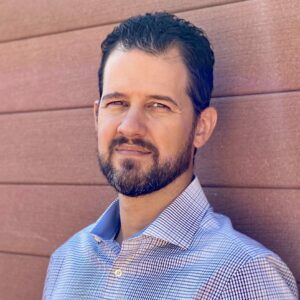
For over 25 years, I’ve specialized in helping transform visionary concepts into operational realities, fulfilling roles such as Chief Executive Officer (CEO), Chief Operating Officer (COO), Chief Strategy Officer (CSO), Director of Technology, Head of Growth, and more across sectors aligned with personal growth, health and wellness initiatives, and online education platforms focused on making the world a better place.
My journey is marked by scaling startups and enhancing operations in companies large and small, with direct experience evolving a 10-person, $3M online wellness company to 30+ people and generating over $8M annually.
Straddling the line between EOS Integrator (82) and Visionary (73), I excel in converting strategic visions into concrete, result-driven operational plans. My commitment lies in crafting and executing robust operations systems that foster sustained growth and ensure seamless operational continuity.
With a strong track record in team development and leadership, I’ve mentored and led high-performance teams, conducted over 1,000 interviews, and successfully placed more than 100 top talents, fostering environments that champion excellence and growth.
I hold a deep passion for guiding transformative leaders, solopreneurs in the wellness and spirituality sectors, and visionary individuals through the intricate journey from concept validation to scale.
My approach is personalized, concentrating on building sustainable systems and strategies that respect and amplify your unique vision. As a committed partner, I aim to translate your innovative ideas into profitable realities, ensuring that your operations are solidly grounded and effective.
I believe in the crucial balance between vision and execution, particularly for those navigating the challenges of turning innovative ideas into functional businesses or scaling personal projects while retaining their core essence.
I’m passionate about untangling operational complexities to transform your visionary passion into a thriving enterprise that remains true to the original dream.
If you are seeking a transformation, scalability, and sustained success within the realms that align these principles, I want to meet with you.